
AGWhatsapp for Android (unofficial mod)
v45 · AGWhatsApp Team · Page updated
AGWhatsapp is an unofficial modified WhatsApp app for Android from the AGWhatsApp Team, not from Meta; it carries risks of account bans and malware.
Screenshots

About AGWhatsapp
AGWhatsapp is an unofficial modified version of WhatsApp for Android, distributed as v45 by the AGWhatsApp Team. It has nothing to do with Meta, the company that runs WhatsApp, so before searching for an AGWhatsapp download, learn how mods work and what they can cost you.
What is AGWhatsapp?
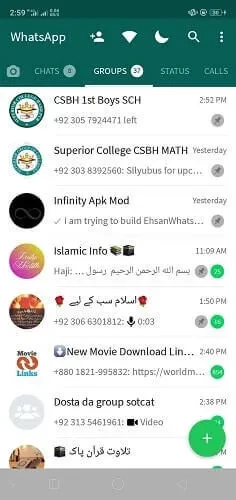
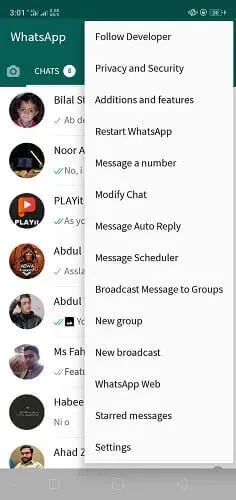
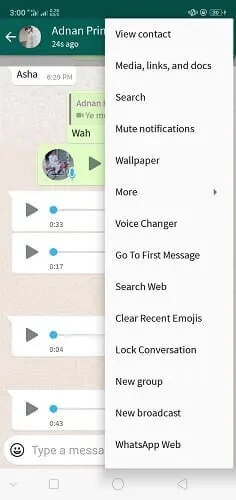
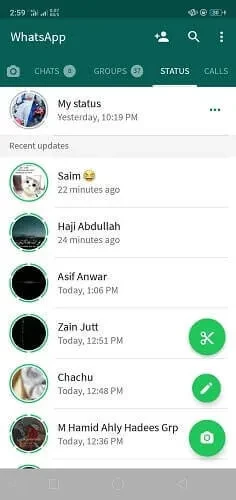
AGWhatsapp is one of many WhatsApp mods, next to YOWhatsApp, GBWhatsApp and FM WhatsApp. It is built from the official client's code, changed by independent authors, and shared as an installation file outside Google Play. Mods like this usually focus on appearance and control: a custom look for chats and the main screen, extra themes, the ability to hide online status and read receipts, keep deleted messages visible, and send larger media files. AG-style mods are known mostly for their distinctive interface design. Technically, though, the app still logs in to WhatsApp's own servers with your phone number, and WhatsApp does not allow third-party clients.
What are the risks?
- Not official: the app does not come from WhatsApp or Meta and is not reviewed by any store.
- Hidden malicious code: modified messengers may contain spyware or trojans that read chats, contacts and verification codes.
- Account ban: WhatsApp detects unofficial clients and can temporarily or permanently ban the number.
- Lost chats: backups made by a mod are not guaranteed to restore in the official app.
How can it be checked safely?
If you need to look at it for research, use a virtual device, such as the Android Studio emulator, or a separate phone without personal data and without your real number.
What is the safe alternative?
The official WhatsApp Messenger in Google Play already includes hiding last seen and online status, turning off read receipts, chat themes, locked chats and disappearing messages, with end-to-end encryption and regular security updates.
How do I move back to official WhatsApp?
Copy important photos and documents from the mod's folders to a safe place, uninstall the mod, install WhatsApp from Google Play and register your number again. If WhatsApp shows a warning about an unofficial app, follow its instructions; repeated use of mods can lead to a permanent ban.
Why do people install it anyway?
Most users want a different look or a feature they saw a friend use, and they do not realise that the app is not an update from WhatsApp. Sites that host mods rarely explain the risks, and names that resemble WhatsApp make them look official. When in doubt, check the developer name in Google Play: the real app is published by WhatsApp LLC.
Is it free?
The mod itself costs nothing, but you pay with the security of your account and data.
Pros and cons
- Pro: distinctive design and themes.
- Pro: extra privacy switches.
- Con: unofficial, not from Meta.
- Con: risk of account ban.
- Con: possible malware.
- Con: no guaranteed updates.
What other messengers are there?
Official options on our site include WhatsApp Messenger, WhatsApp Business, Telegram, imo HD and Line.